Transfer
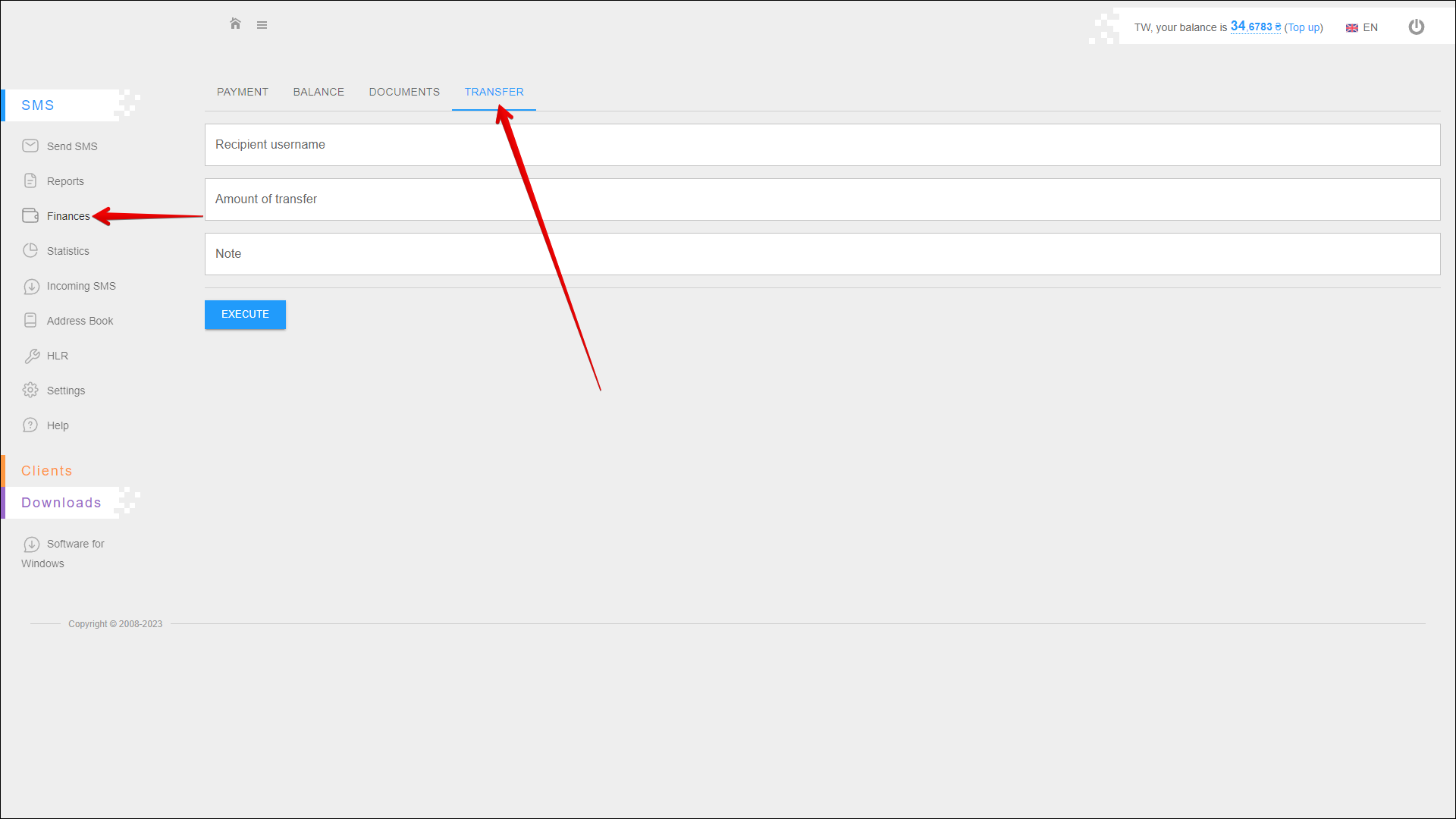
In this tab you can transfer funds from your balance to another user's balance.
To open this tab, select SMS → Finance in the side menu and select TRANSFER tab.
Transfer execution
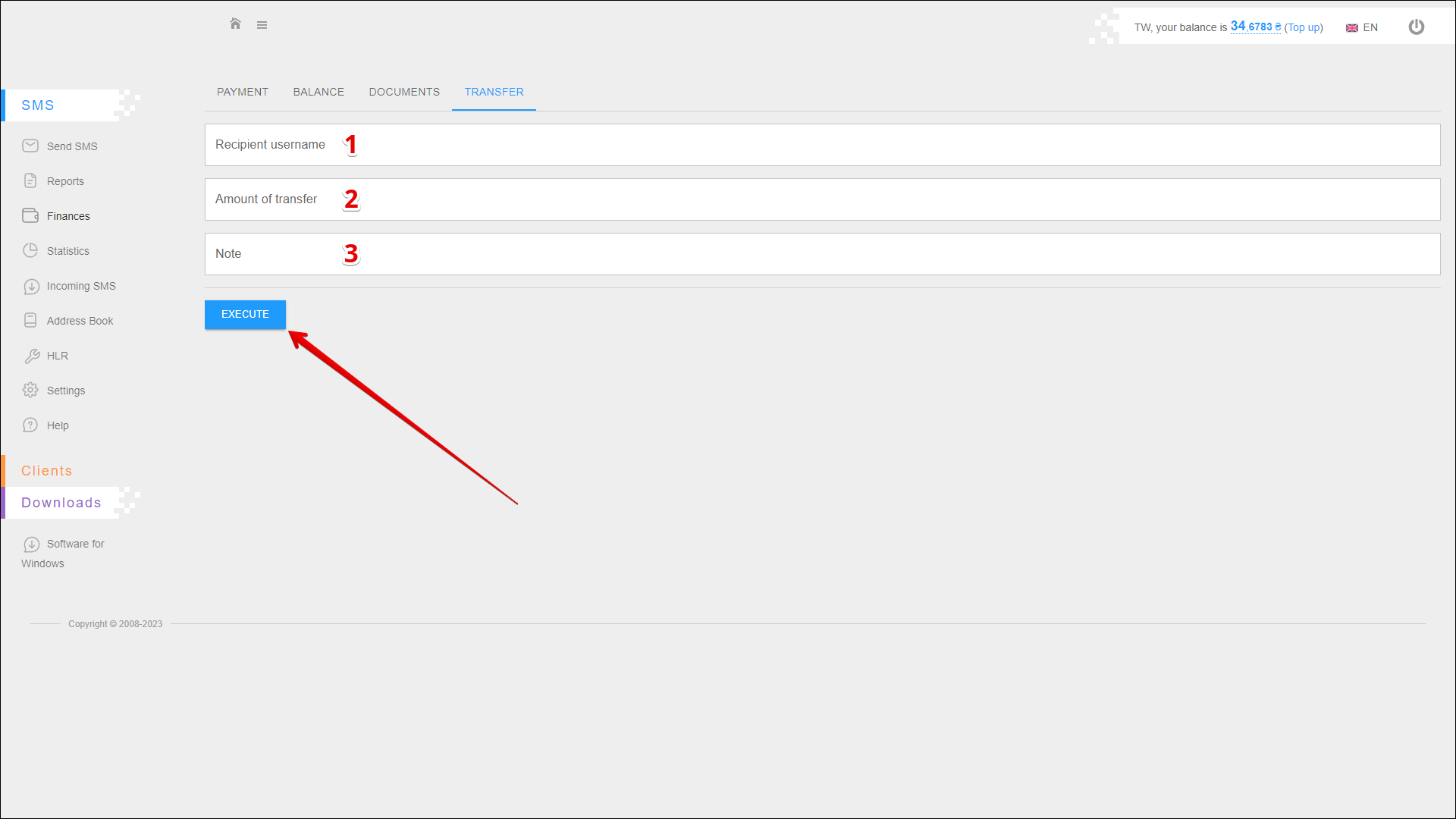
To perform a fund transfer, follow the steps below:
| № | Action |
|---|---|
| 1 | Enter the recipient's username (phone number, for example 447700900456) |
| 2 | Enter the amount of transfer (for example 50 or 49.99) |
| 3 | Add a note to the transfer |
Press EXECUTE to perform a fund transfer.