How to top up your balance
In this tab you can top up your account balance online or by invoice.
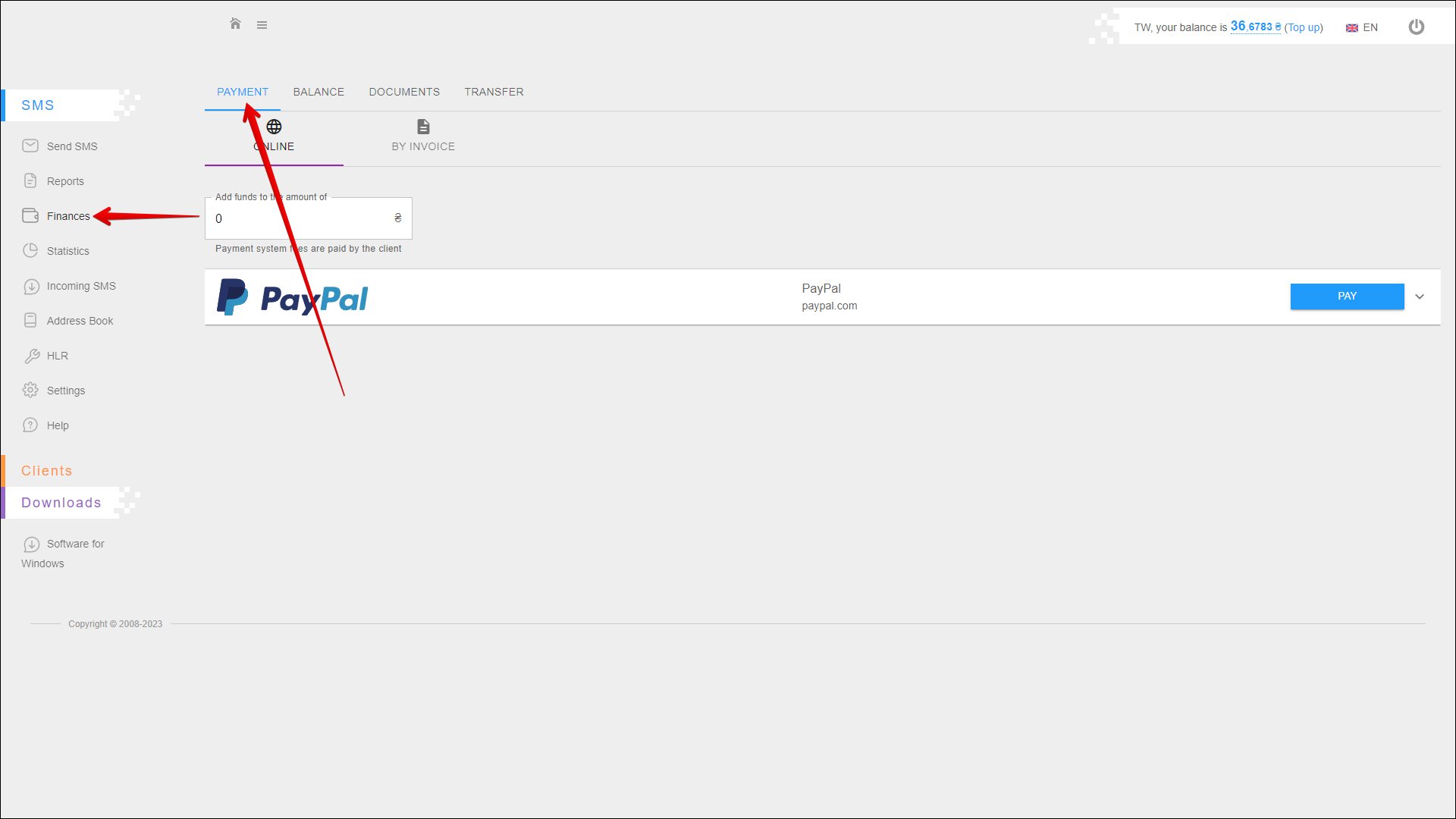
To open this tab, select SMS → Finance in the side menu and select PAYMENT tab.
Online top-up
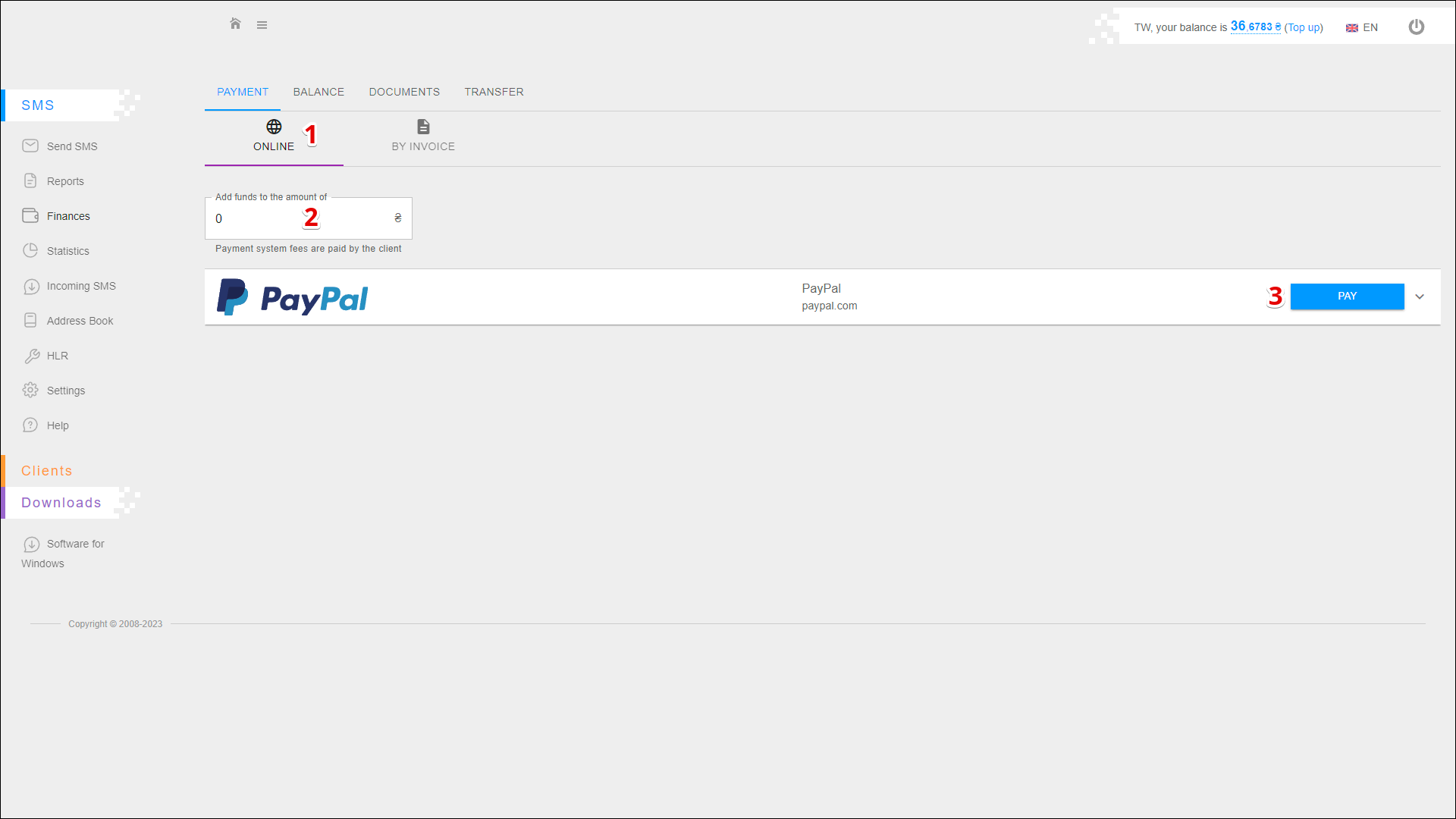
To top-up your account balance online using the payment system follow the steps below:
| № | Action |
|---|---|
| 1 | Select the method of top-up ONLINE |
| 2 | Specify the amount of top-up Minimum amount: 50EUR Maximum amount: 2000EUR Fee: 3.6% |
| 3 | Select the required payment system and press PAY In this example, the payment system PayPal is available |
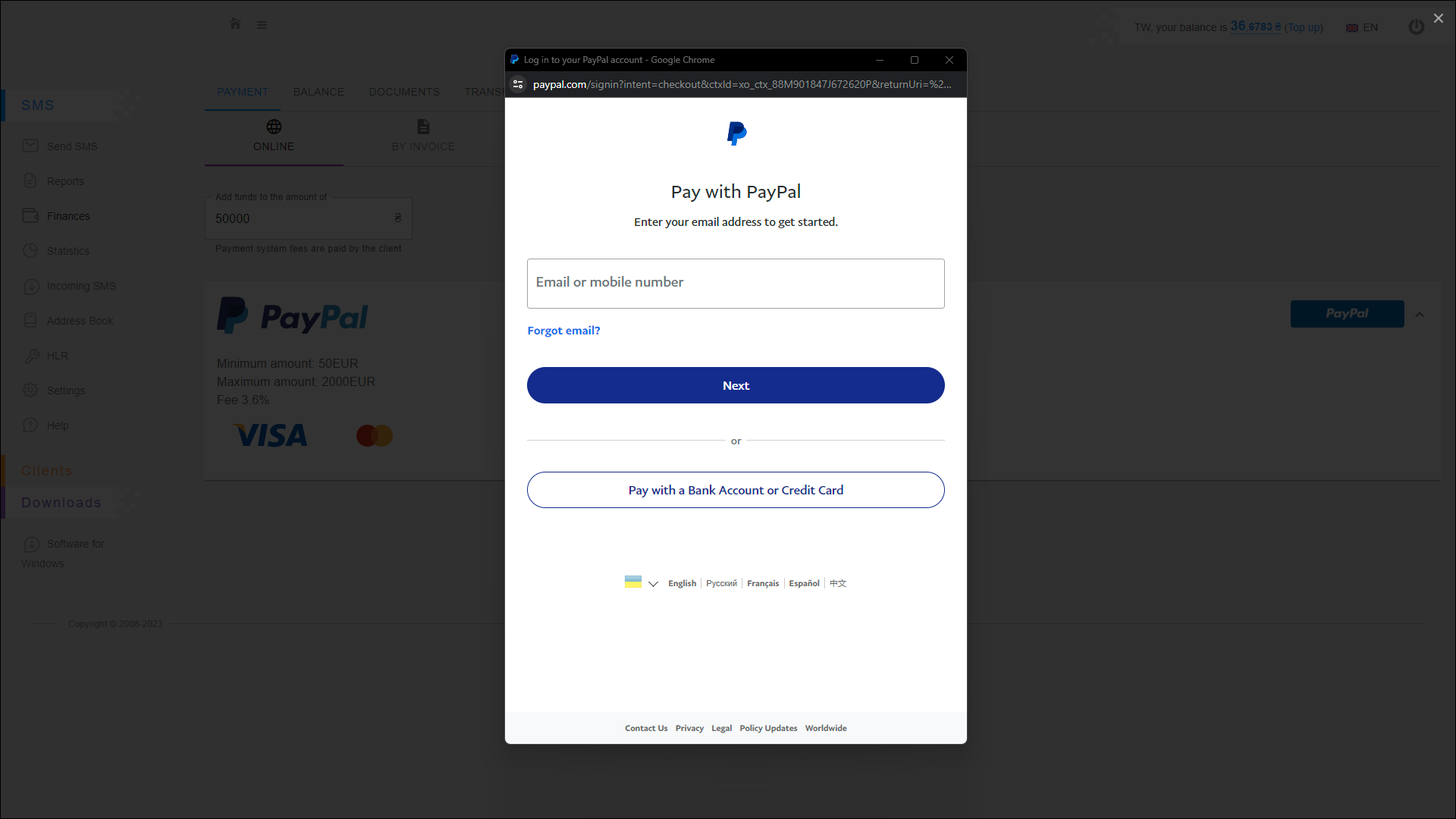
A new pop-up window will open, where you need to authorize in the payment system and make the payment.
Top-up by invoice
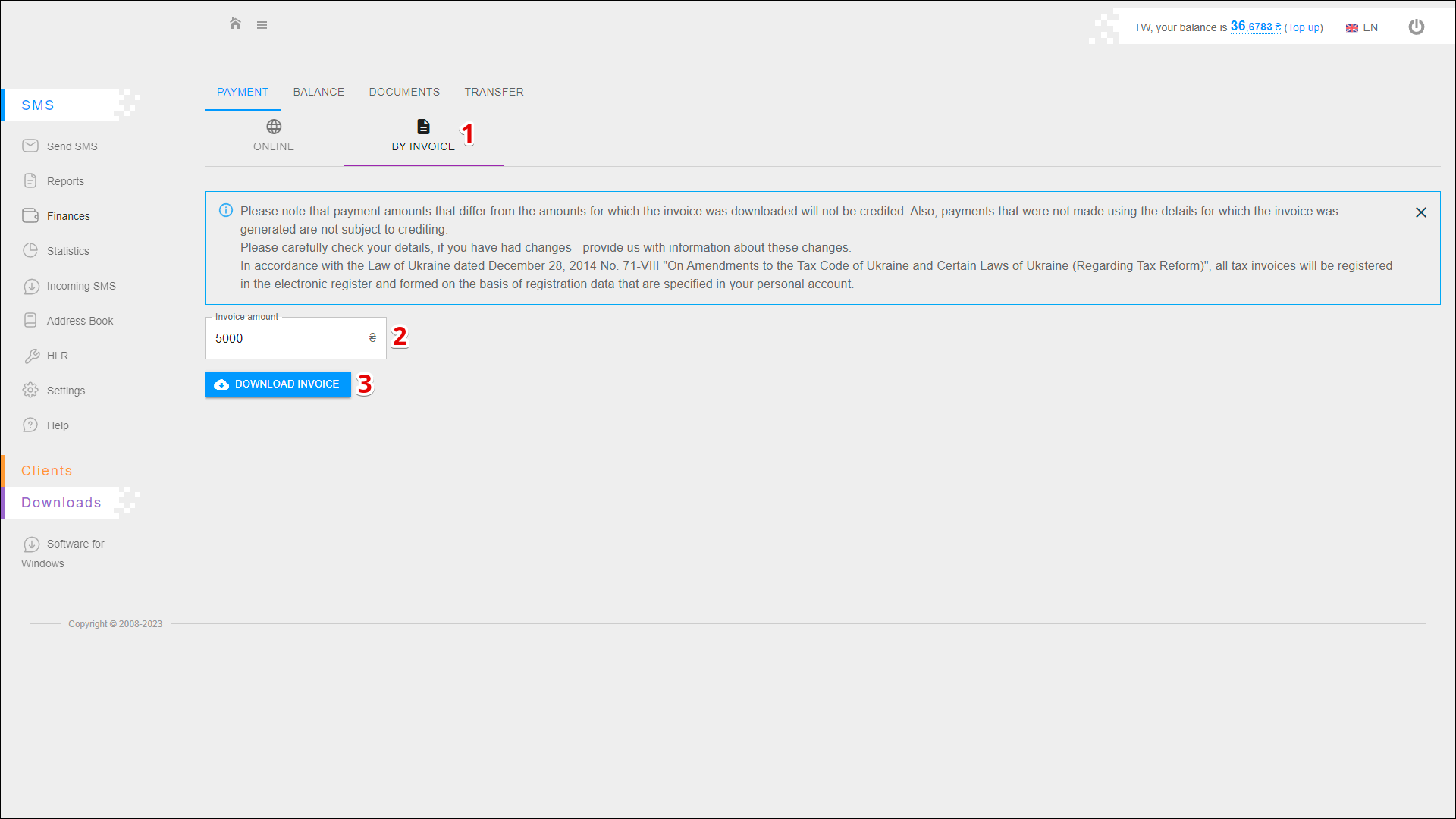
To top up your account balance using an invoice, follow the steps below:
| № | Action |
|---|---|
| 1 | Select the method of top-up BY INVOICE |
| 2 | Specify the invoice amount of top-up |
| 3 | Press DOWNLOAD INVOICE to save the invoice for future payment |