How to create a blacklist of contacts
This tab allows you to blacklist numbers you do not want to send messages to.
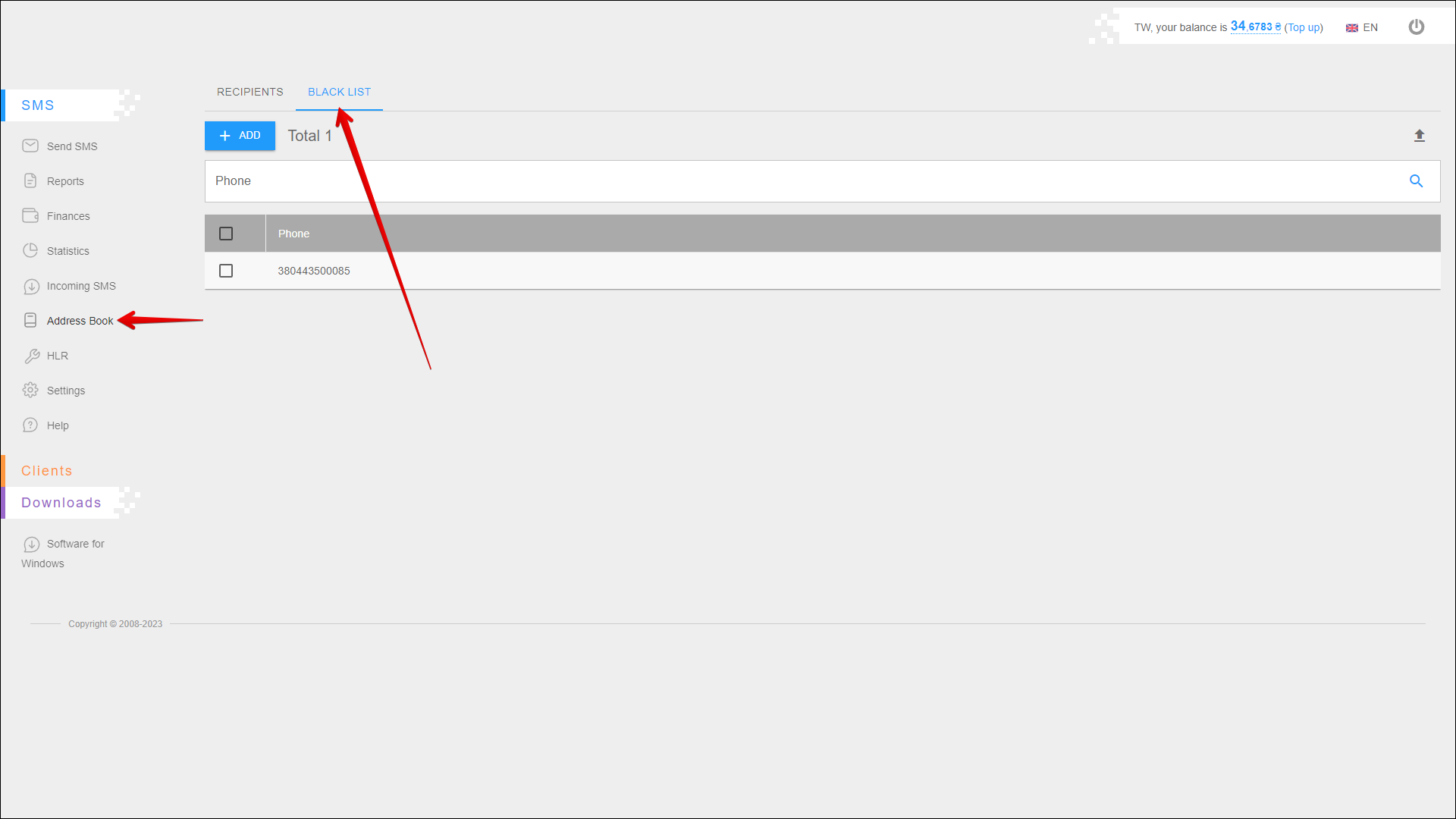
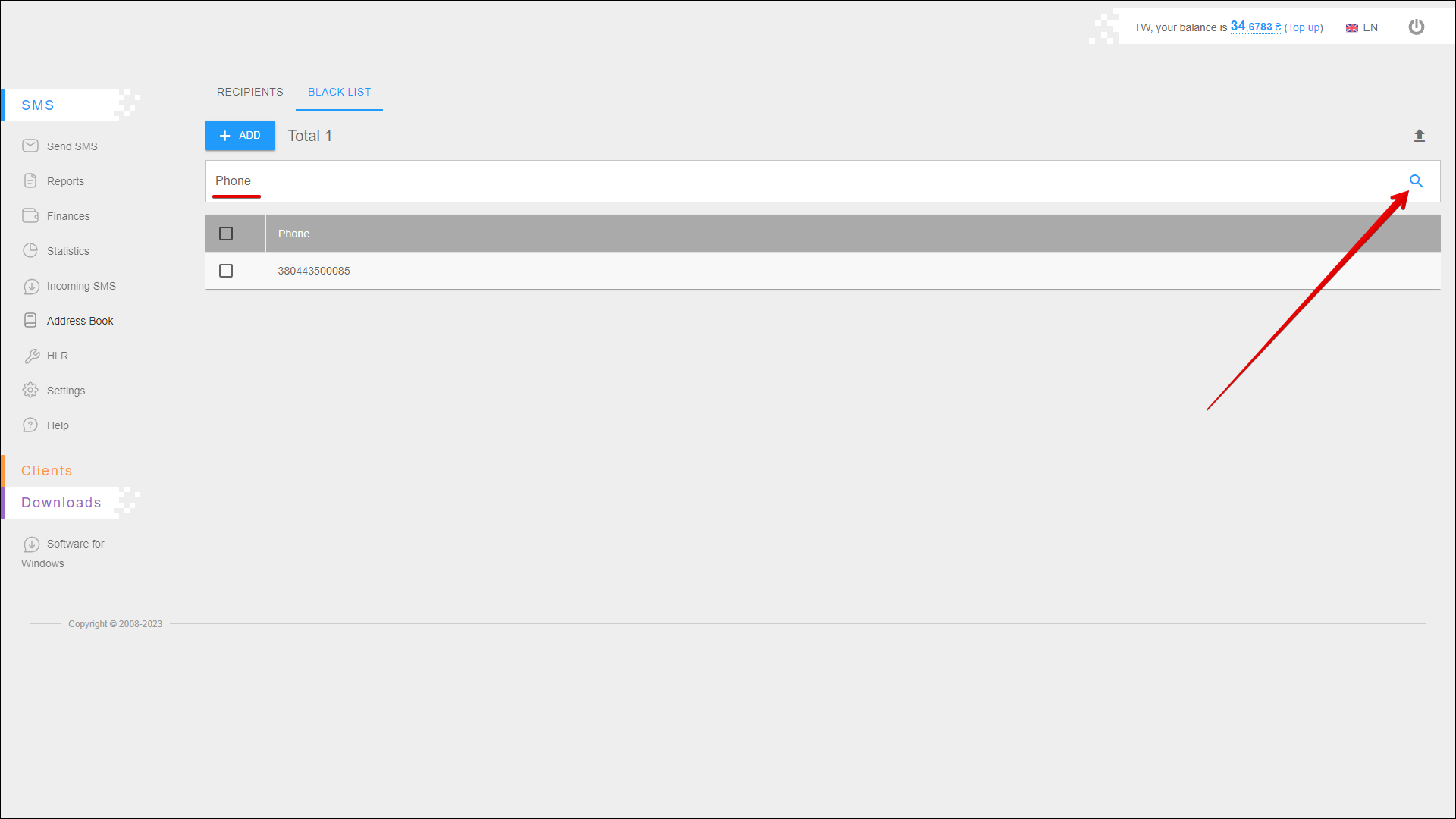
To open this tab, select SMS → Address Book in the side menu and select BLACK LIST tab.
Adding a number
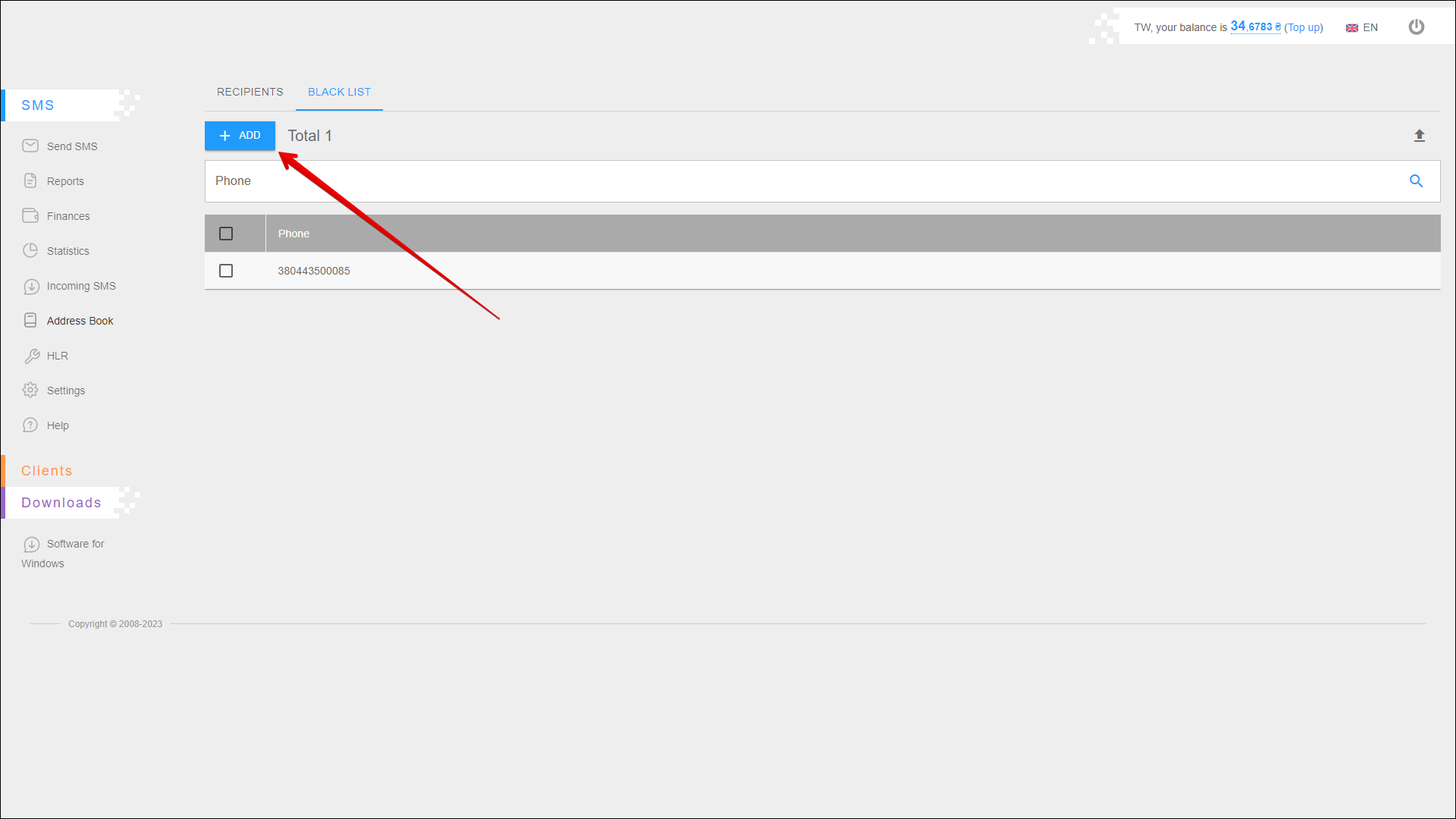
To add a number to the blacklist, press the + ADD button.
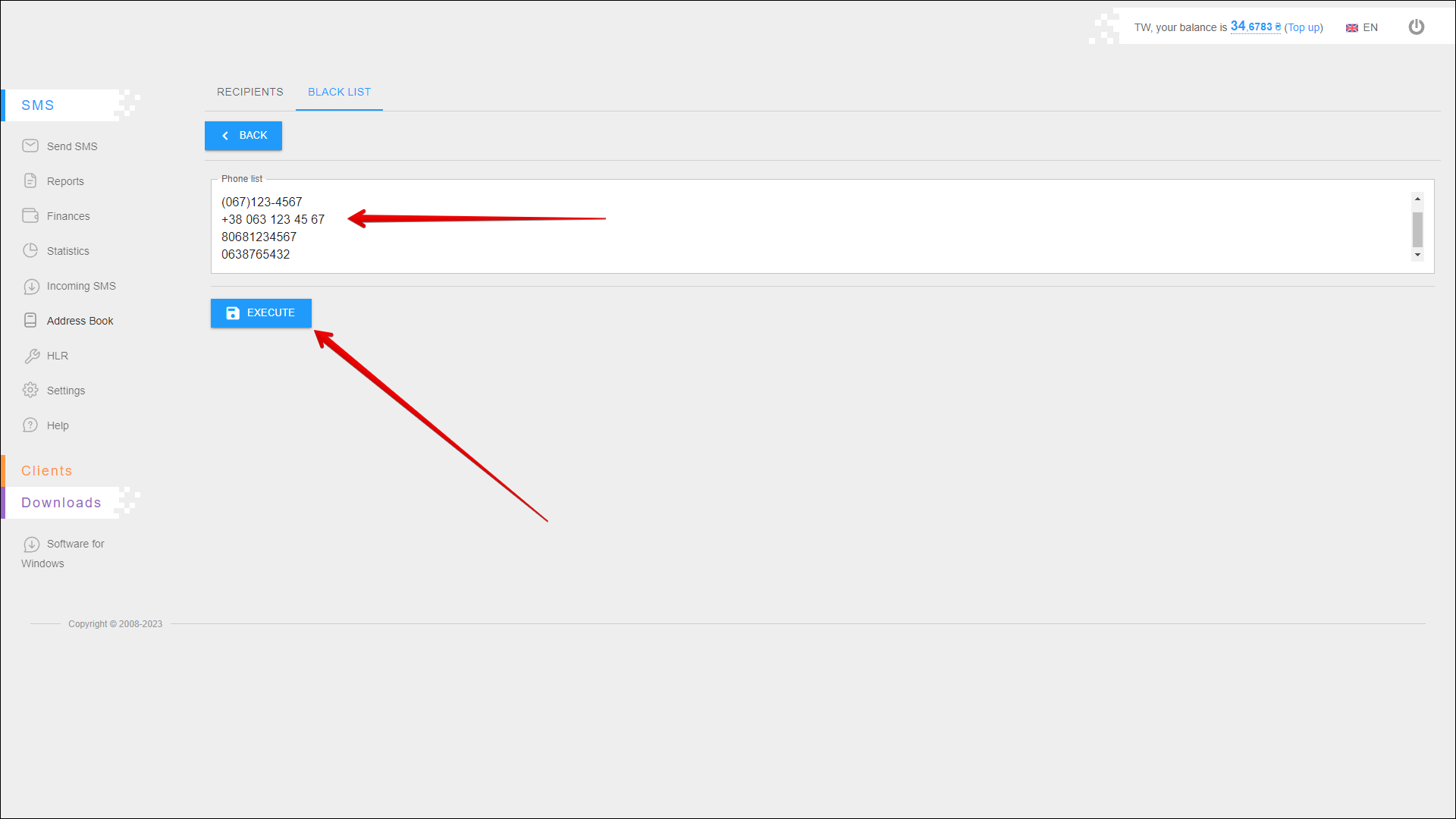
Next, enter one or more numbers in the Phone list field and press EXECUTE.
⚠️ Each number is entered on a new line
Search
To search for a number in the blacklist, enter it in the search field and press the Search button icon or [ Enter ] key.
Removing numbers
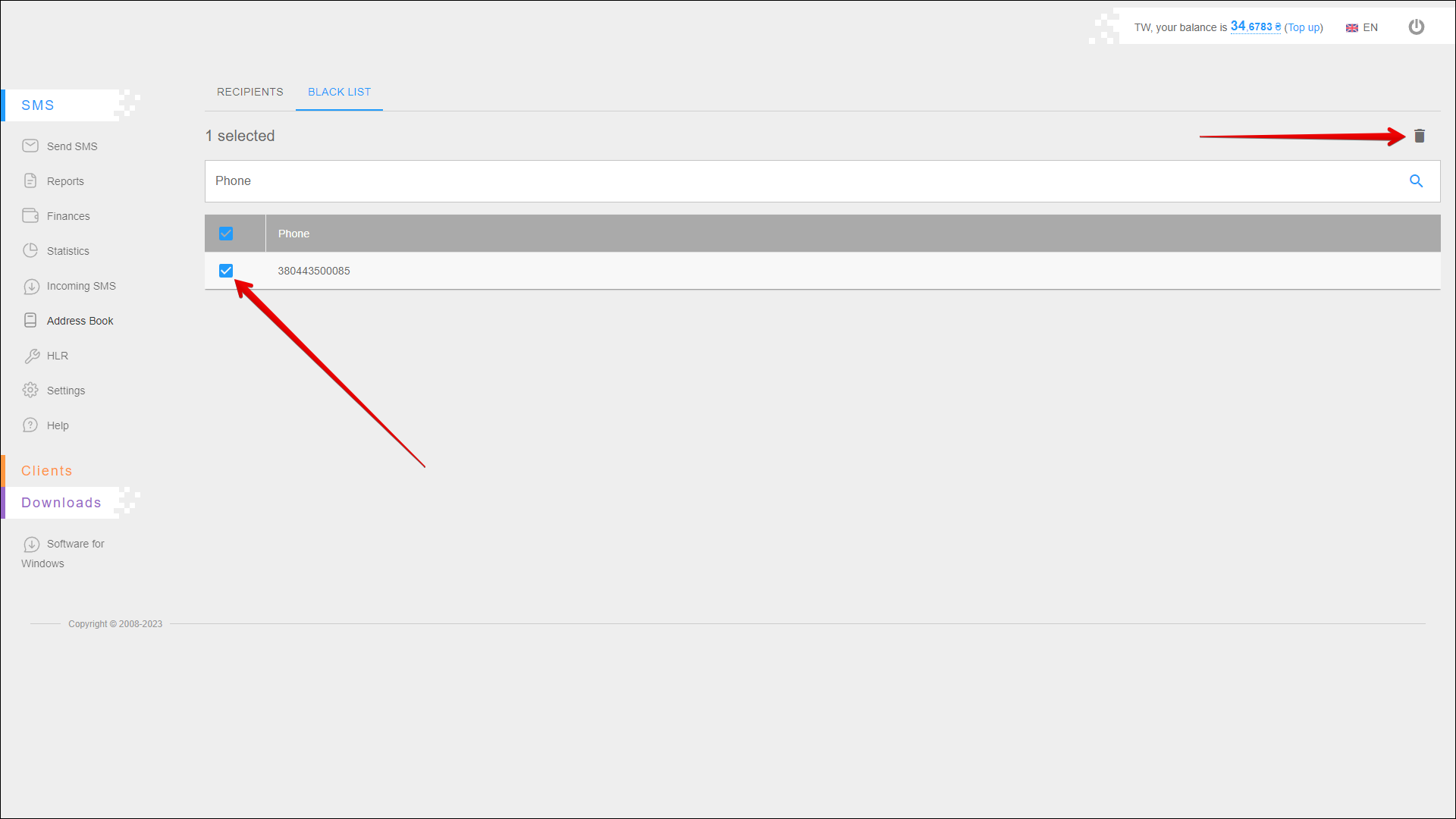
To remove a number from the blacklist, select the checkbox next to one or more numbers and click the Delete button icon.